RELATIONSHIP REMINDERS · AVAILABLE NOW
Remember the people you choose to keep close.
You decide which relationships deserve a reminder. Gravify notices a change in your observed contact and brings it to you, without writing to anyone on your behalf.
See an example ↓Friends you want to stay in touch with.
Give those people a label and mark the individual relationships you want to maintain. Choose how much a drop in observed presence matters, how long to compare and how often a reminder may return.
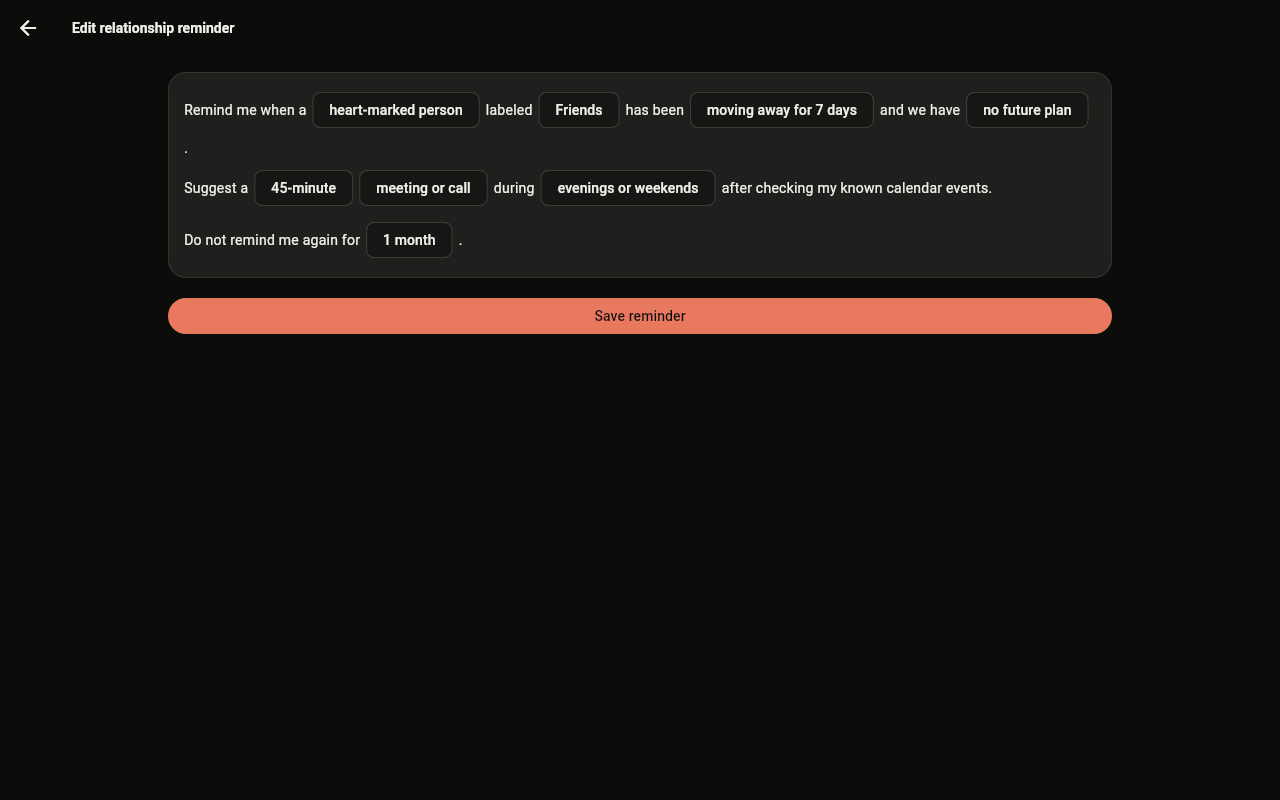
The rule editor in Gravify today.
The pattern changes. You get a choice.
Suppose a friend you marked has become less present in the history Gravify can see. If your rule matches, a reminder appears in your inbox. Open it to inspect the person and decide whether to call, plan a meeting, postpone or leave it alone.
YOUR PACE
A reminder is not
an instruction.
A cooldown keeps the same rule from repeating constantly. Preferred connection windows can help suggest a possible time, while known calendar conflicts can rule a time out. Neither an empty calendar nor a reminder means either person is free.
Why it feels different from a recurring alarm.
A calendar alarm rings on a fixed date. This reminder follows a condition you defined about the relationship’s observed history, for people you explicitly selected. It can surface a moment worth checking without deciding that you have neglected someone.
SEE THE CONTEXT
Start with the map.
See the pattern behind a reminder before deciding what to do.