Your conversations, relationships, tasks and calendar, connected on your hardware. Give your AI the context to turn a conversation into a plan, find an answer or prepare your next step. With a compatible local model, it works offline too.
Free beta · Perpetual full licence · Future local updates included
The real Windows app, with fictional people and example data. Screenshots show the current tester build.
FROM INFORMATION TO ACTION
One place to understand. One place to act.
01 · Capture the next step
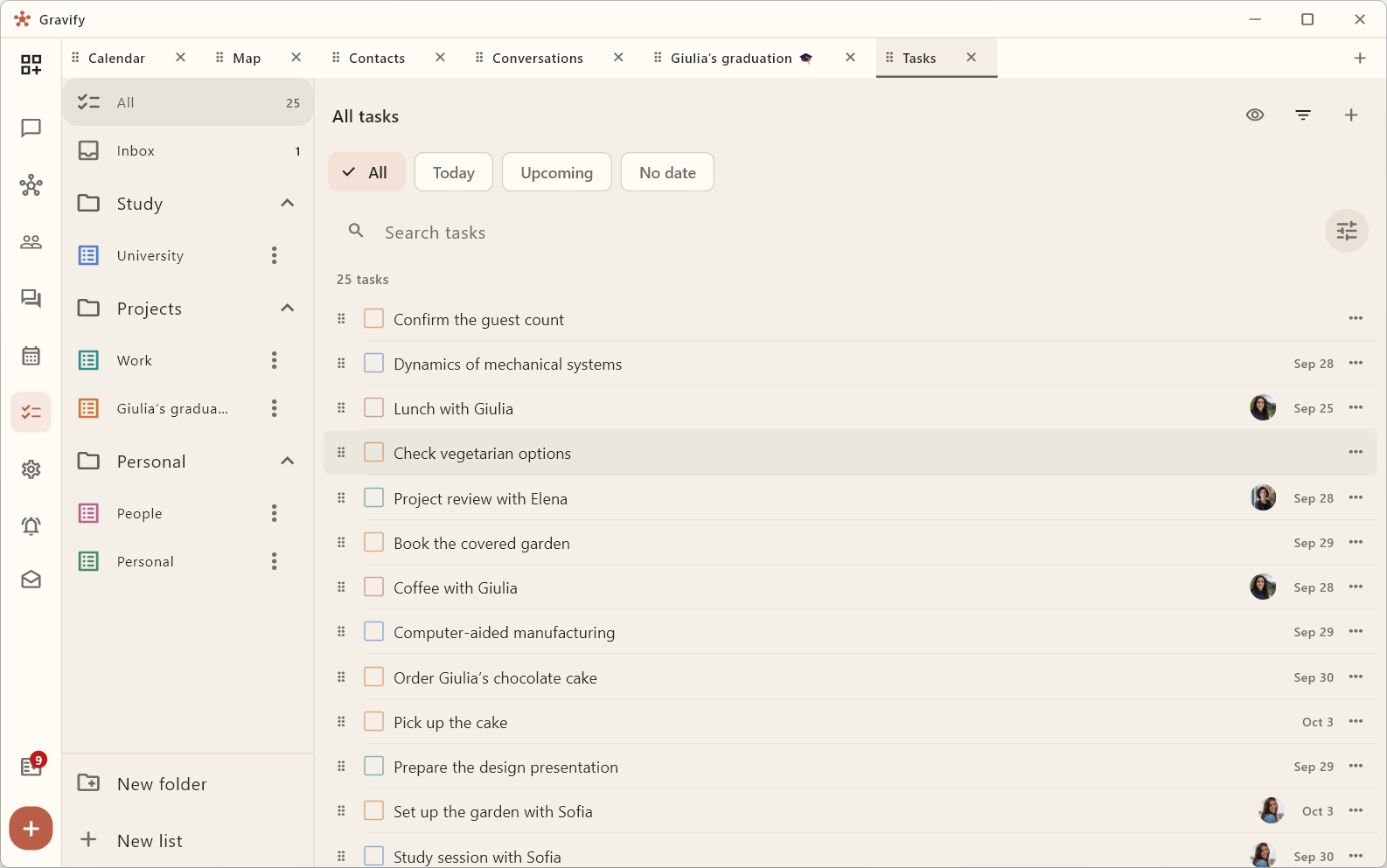
Everything starts with a task.
A promise in a conversation. A project you want to finish. An appointment already on your calendar. Keep the work and its context together, with notes, checklists and lists that make sense to you.
02 · Give it time
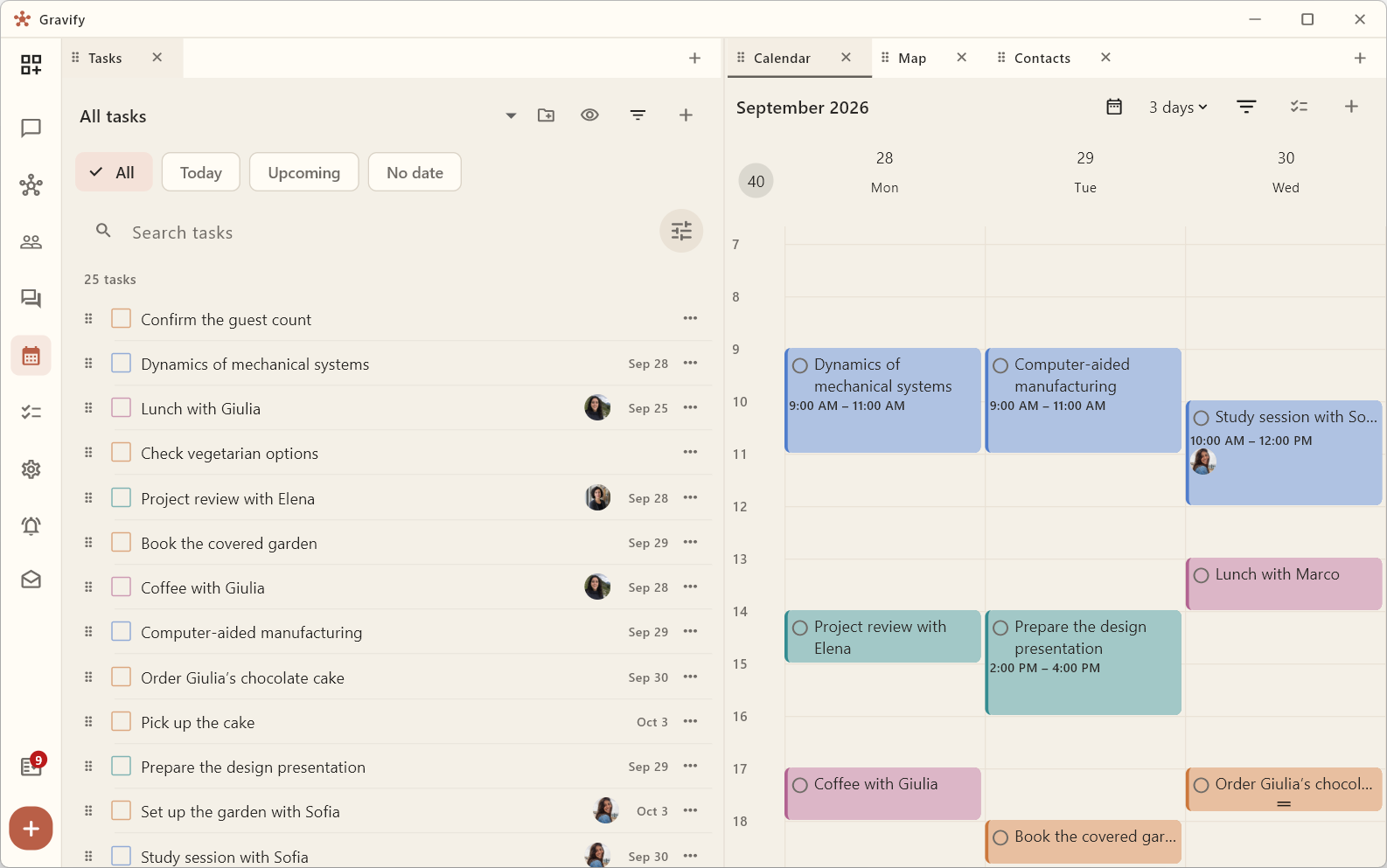
Put your plans in your week.
Keep Tasks beside Calendar. Drag an activity onto a time, check the rest of your commitments and adjust the plan. Connect supported accounts and choose which calendars and TickTick lists to bring in.
03 · Keep the context
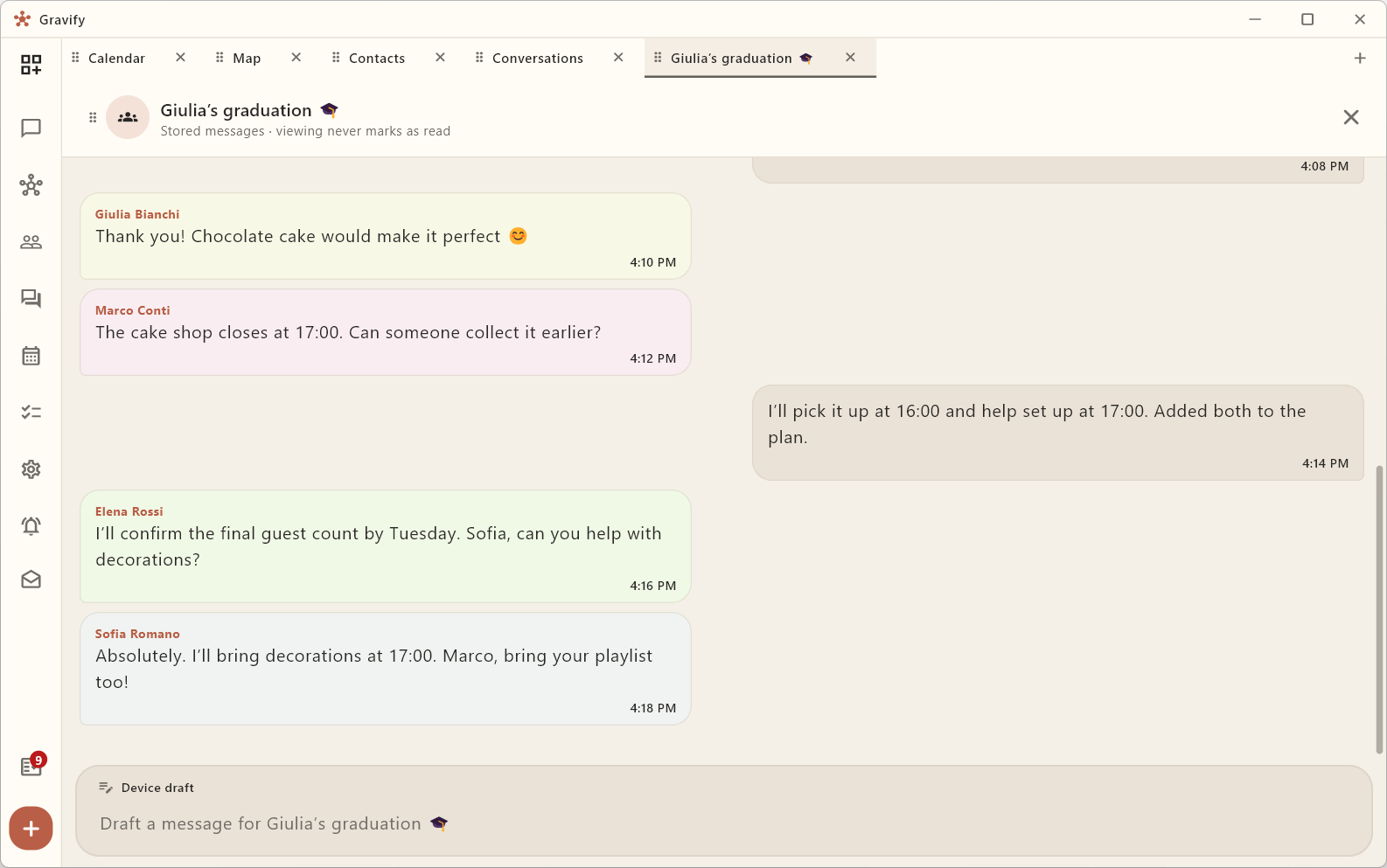
See what the conversation was about.
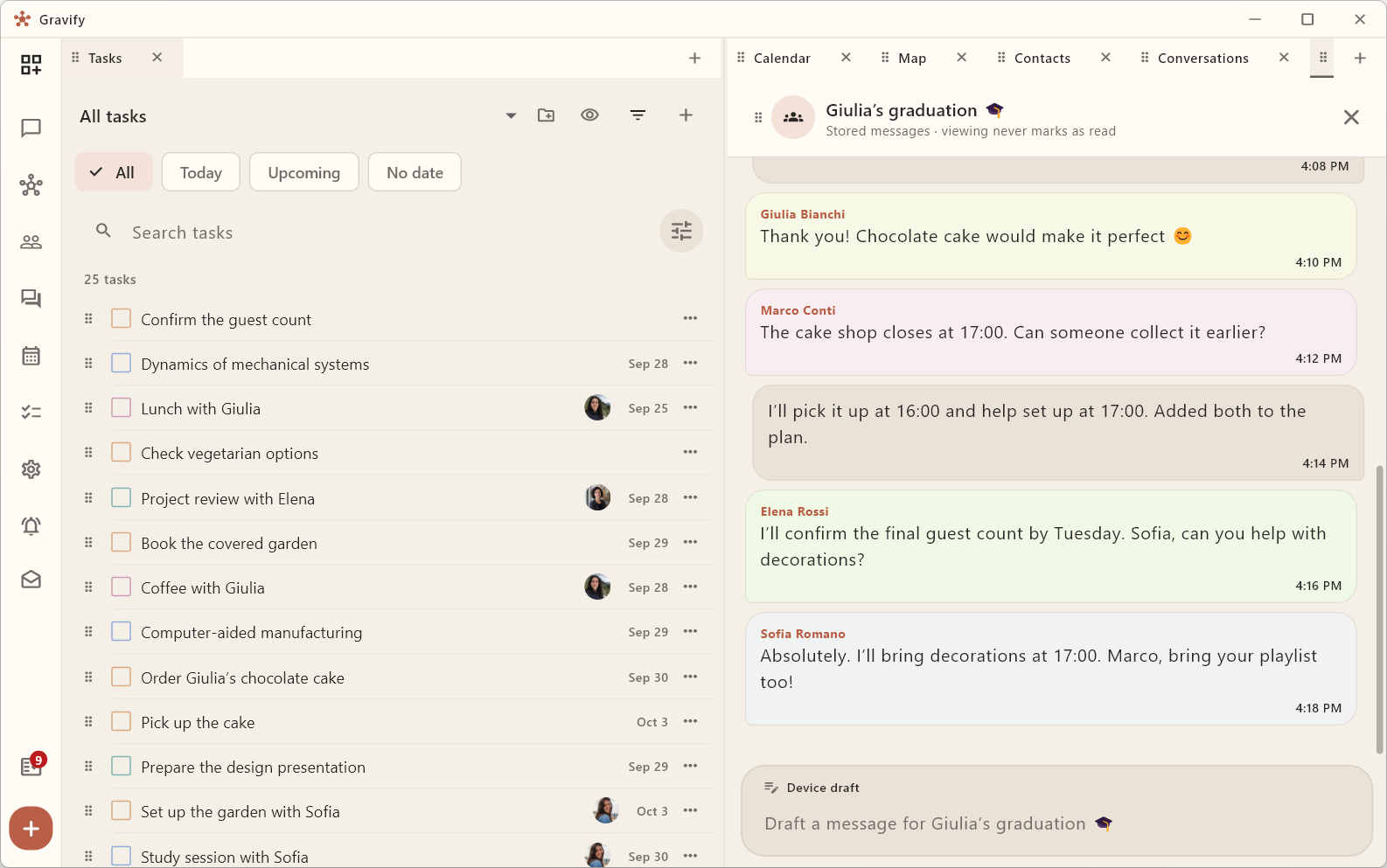
Read downloaded chats and email alongside your work. Keep a conversation open while you turn an agreement into a task. Opening it in Gravify does not clear the unread reminder in the original service.
04 · Stay connected to people
Your goals have people in them.
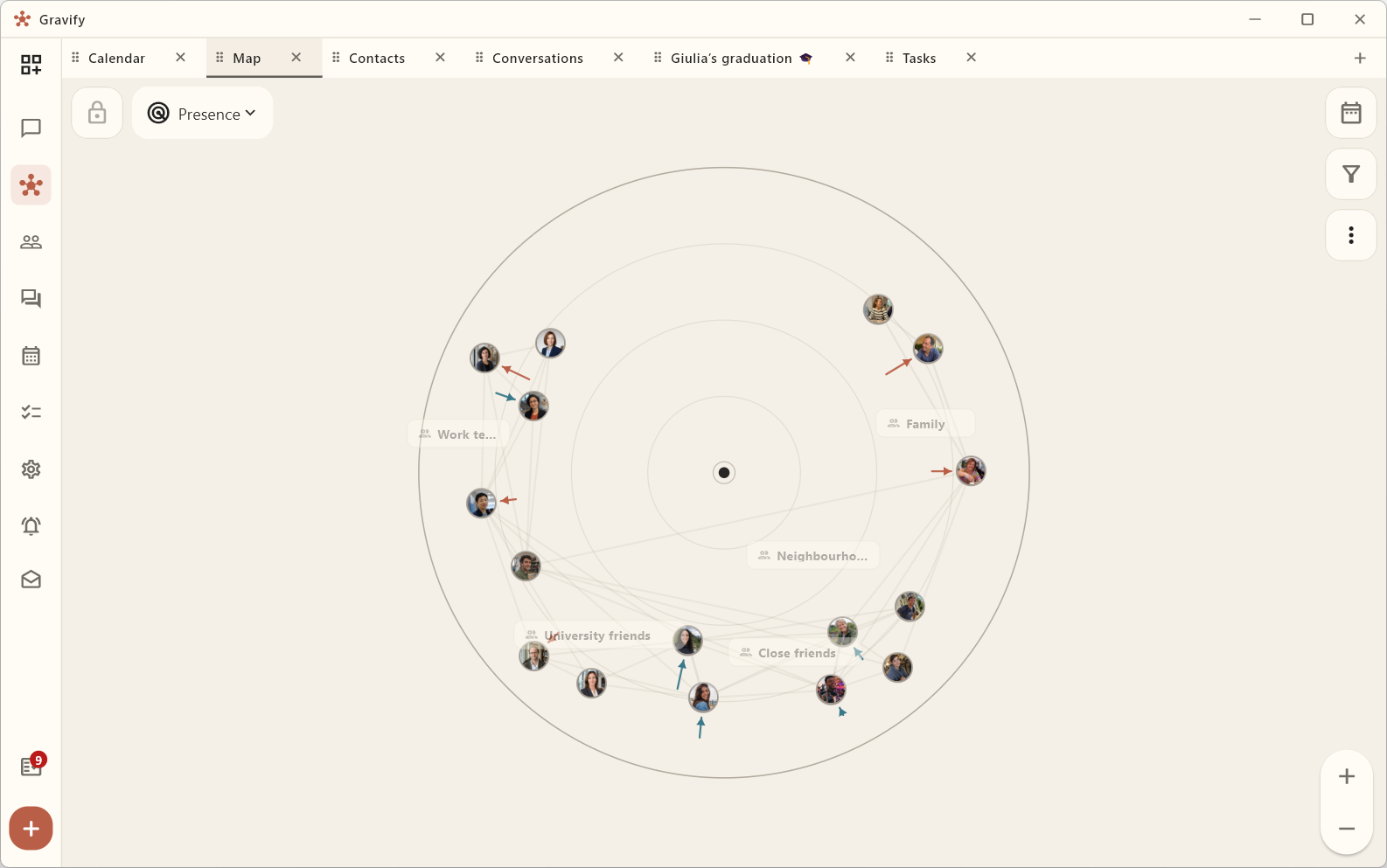
Explore how contact with people changes over time. The relationship map and Contacts share a date range, so you can look back, compare periods and decide what deserves your attention. Presence describes observed interaction, not someone’s value.
05 · THE PLACES YOU MEET
Start with a place.
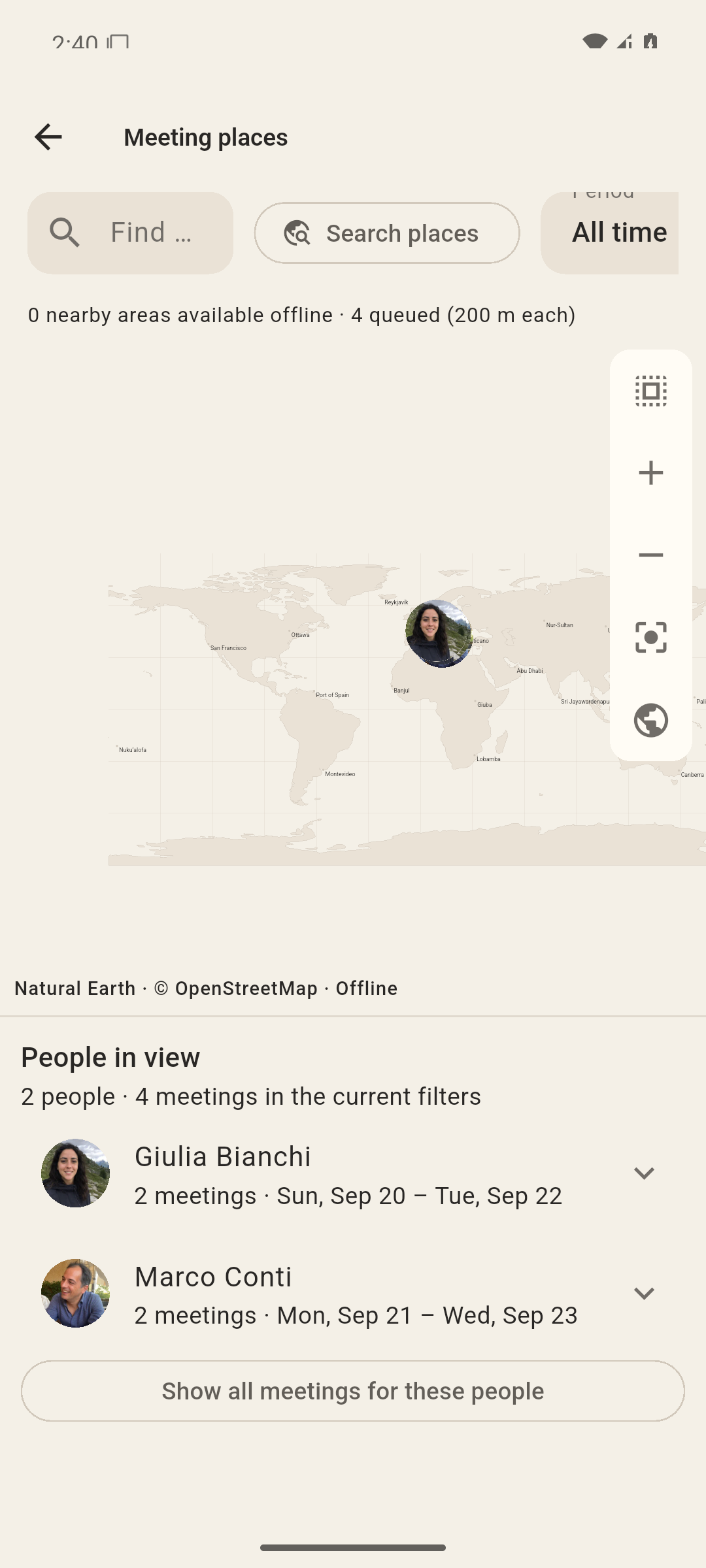
Remember the place, but not every detail? Explore recorded meetings on your map, find the people and prepare nearby areas for offline use.
Real PC and Android apps with fictional data. The offline base map is shown here.
Arrange the space around your question.
Keep a chat open while checking your calendar, see a person beside your tasks, and give Assistant the relevant context. Choose the views you need, move tabs and resize panes. Your information stays connected as the workspace changes with what you want to understand or do.
Ask what was agreed in a conversation, turn it into tasks or prepare a reply. The built-in Assistant works with the sources you allow. Run it with a compatible local model to keep inference on your hardware, or connect your preferred external agent. Review messages and meaningful changes before they happen.
Your Hub runs on hardware you control and holds your private content and connections. The account service handles your licence and downloads, not your personal archive. Use a model server running locally for offline AI on downloaded content. Model weights and a compatible server must be installed separately. If you choose an external provider, the context used for your request leaves your hardware. Account activation, new downloads and online services still require Internet.
The latest Tester releases add a dedicated-number WhatsApp assistant that replies only to your verified number, local Thunderbird email reading on Windows, and clearer decisions to review. Android, Linux desktop and a headless Linux Hub are also available in Tester. Remote device linking is experimental; iOS remains in development. Saved views and new visualizations are still on the roadmap.
Only during beta. Closing beta ends new free grants, not your licence.
No card · No subscription
Beta licence details
One active Hub, your connected devices and at least 12 months of standard email support. Local updates we actually release remain free. This is not a promise of perpetual development.
Gravify is beta software and may contain errors. Feedback helps us improve it and is not required to retain the licence. Optional usage-based services, external resources and AI provider fees may have separate prices, disclosed before use and requiring acceptance. They cannot make your earned local-software rights paid.
A dedicated view of contact birthdays, with owner-controlled reminders and calendar integration.
Building
More capable agents, with owner control
Extend delegated tasks, recovery and owner-defined automation rules. Develop purchasing and payment workflows with clear spending limits and explicit approval. Broader retailer, currency and live-payment coverage remains to qualify.
Planned
Save Your Workspace Views
Save named combinations of views, filters and pane sizes, then return to the arrangement that fits what you are doing.
Planned
Burners View: Mental Commitments Over Time
See the commitments, projects and unresolved matters occupying your mental space over time. Follow what remains active, what is waiting and what you choose to put on the back burner.
Planned
Open Loops & Action Queue
Bring unresolved asks, promises, follow-ups, and next actions into one source-linked queue that is easy to finish or dismiss.
Building
Google: Gmail & Calendar
Connection and reading are available in tester releases, with multiple accounts and calendar selection. Authorization, synchronization and recovery are being consolidated; permissions vary by account.